
There are 3 ways to start a claim
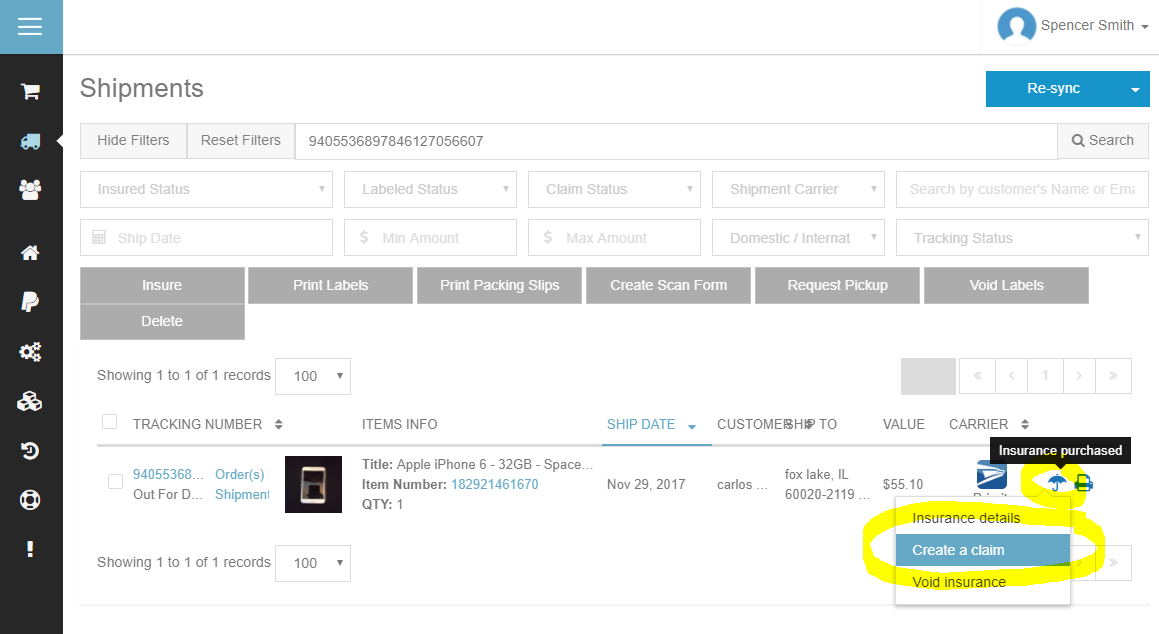
From the umbrella icon
- Go to the Shipments page
- Use the search and filter options at the top of the screen to find the lost or damaged shipment.
- Hover your mouse over the blue umbrella icon.
- Click the Create a claim button.
From the Insurance Options button
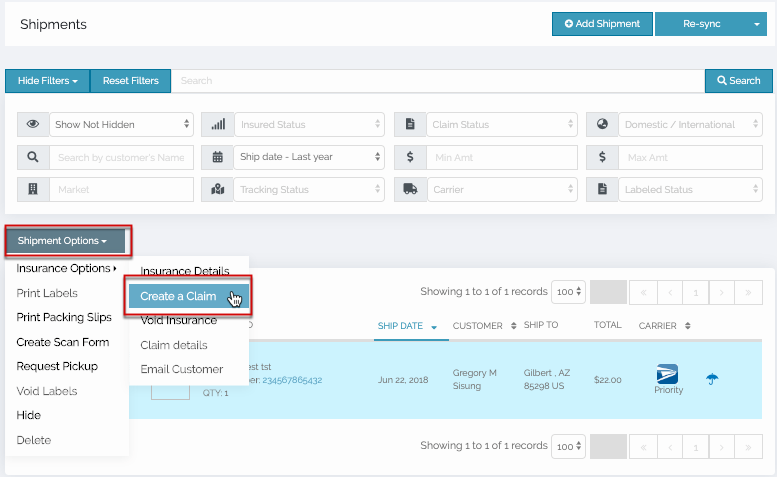
- From the Shipments page, find the lost or damaged shipment.
- Select the checkbox to the left of the shipment.
- Click on the Shipment Options drop-down, then select Create a Claim.
From the Shipment Details page
- There are two ways to get to the Shipment Details page.
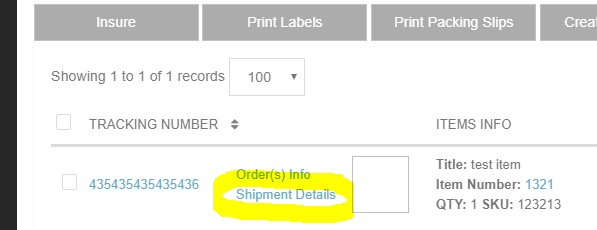
- From the Shipments page, find the lost or damaged shipment.
- Click the Shipment Details link.
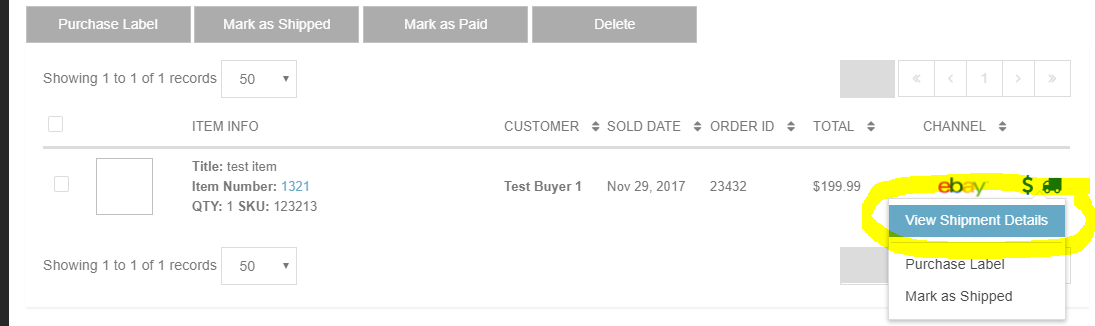
- Or, from the Orders page, find the any one of the items in the lost or damaged shipment.
- Hover your mouse over the blue truck icon.
- Click the button to View Shipment Details.
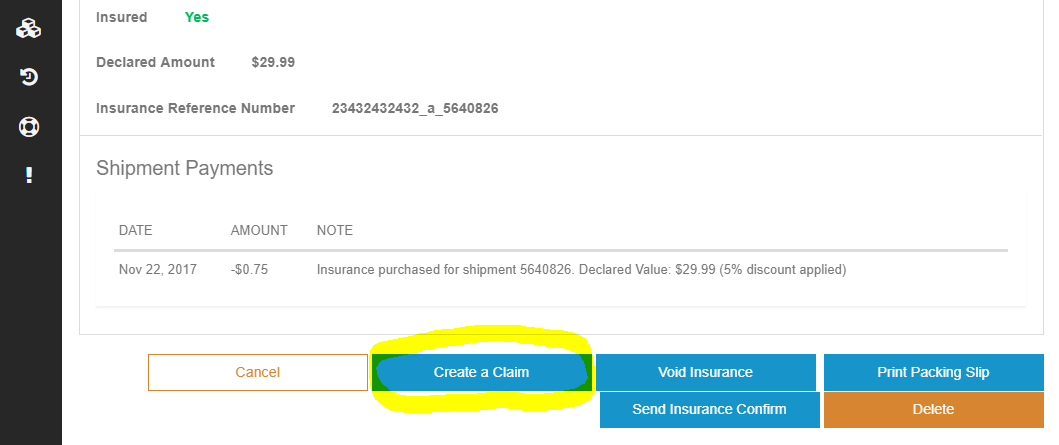
Once you are on the Shipment Details page you can click the Create a Claim button at the bottom of the screen.
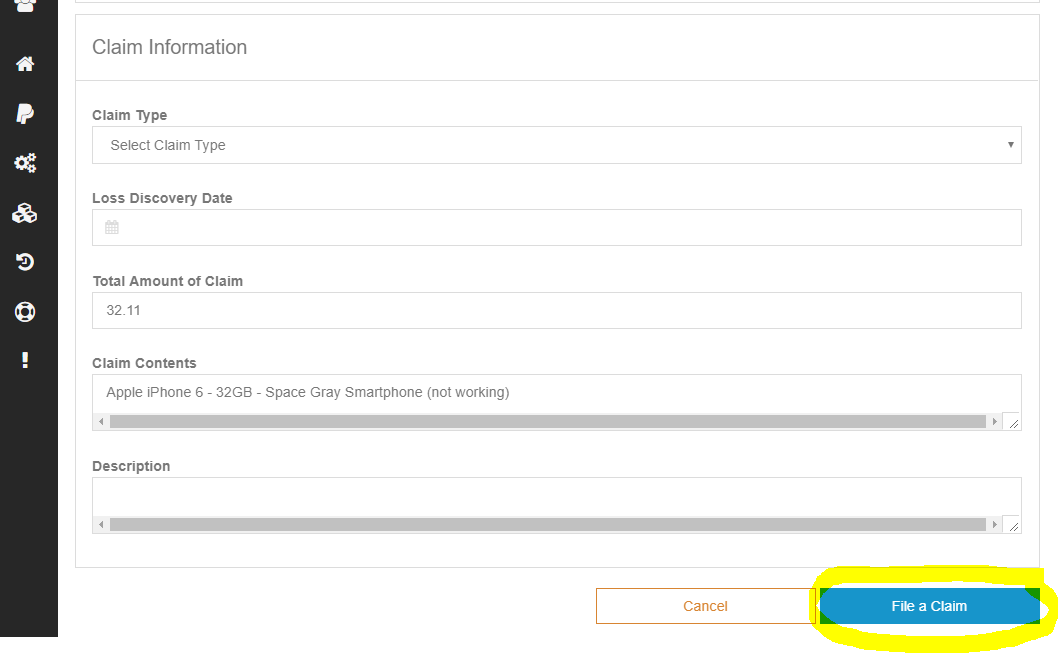
Complete all required fields on the Create a Claim page, then click the File a Claim button on the bottom of the screen.
- You as the Insured will file immediate notice of non-delivery, damage, or shortage with the Carrier and with Shipsurance
- The recipient (your buyer) will take proper exceptions on the delivery receipt when any loss or damage is apparent at the time of delivery
- You as the Insured will complete a Shipsurance claim form and provide all required documents to Shipsurance within one hundred and twenty (120) calendar days from the date of shipment. If the Carrier has liability and their remittance (Carrier’s claim check and stub) or response has not been received by the Insured within the 120 day time-frame, all other claim paperwork must be received by Shipsurance within one hundred and twenty (120) calendar days from the date of shipment
- A complete claim submission must include a Shipsurance claim form, a copy of the carrier's tracer form, a copy of the invoice or recent appraisal, photos of damaged goods and packaging, a repair estimate, a claim statement signed by the recipient (or intended recipient), and any other documentation requested by Shipsurance. Failure to complete the claim form and follow all claim instructions could lead to non-settlement of claim
- If the shipment is sent by the United States Postal Service (USPS) or consolidators, complete claims must be submitted and received by Shipsurance within one hundred and twenty (120) calendar days of the shipment date. If the claim is for loss the Insured must wait twenty (20) calendar days (Domestic shipments) or 40 calendar days (International shipments) before filing claim with Shipsurance. FedEx/UPS claims can be filed after the package is expected to be delivered